
Login
The dealer site is price and purchase restricted by account, meaning you need to log in to see your pricing and to place orders.
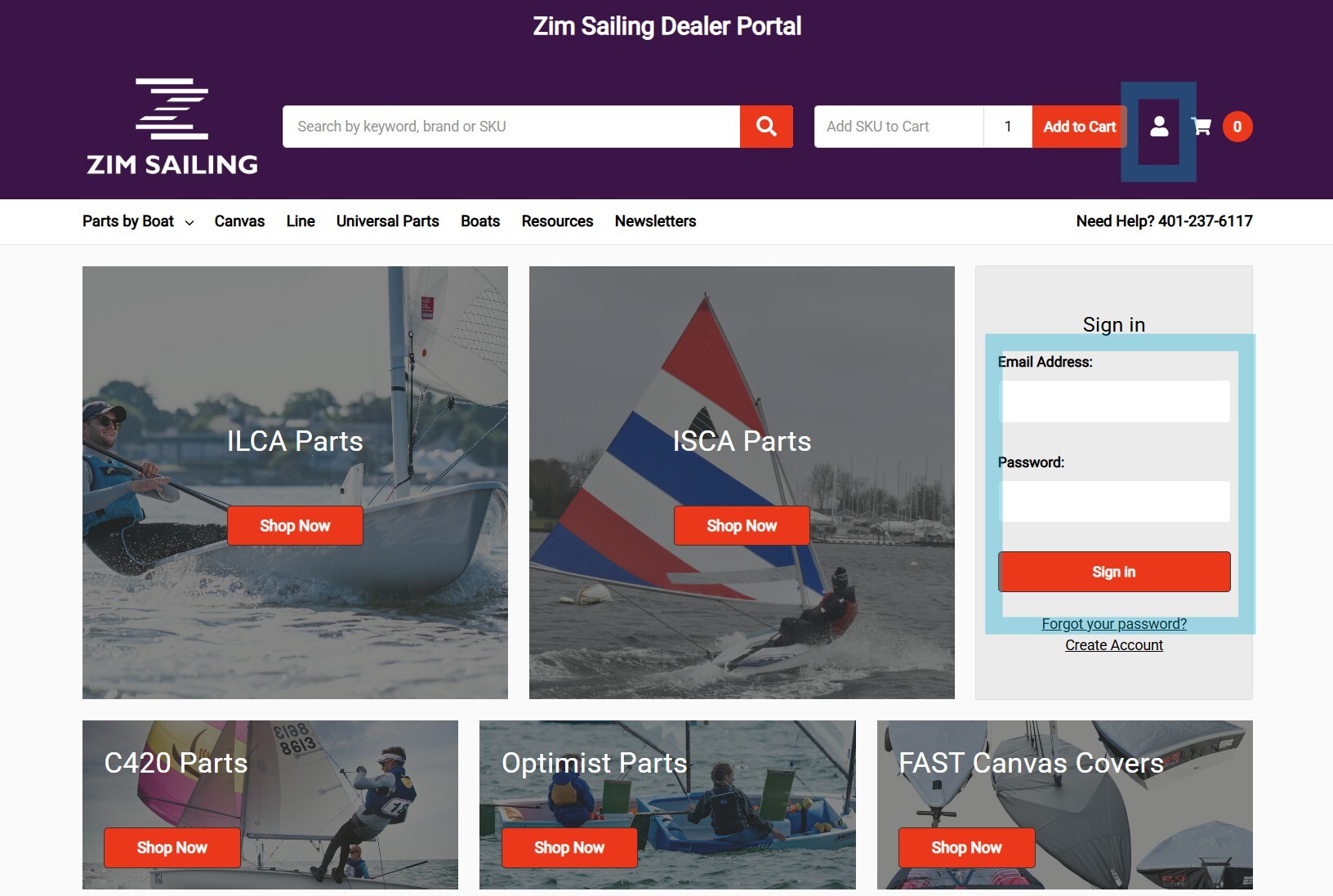
You can log in to your account in several ways:
- Go directly to the account log in URL, which can be found at https://zimsailingdealer.com/login.php
- Use the ‘Sign in’ widget on the homepage (image shown to left).
- Locate the account icon in the upper right corner of the header, to the left of the cart icon. This icon directs to the sign in page.
Your account information (email address and password) will be provided by the Zim Sailing team. You can update your password anytime by navigating to the Account Settings screen, found at https://zimsailingdealer.com/account.php?action=account_details
You must be logged into your account to see pricing and place orders.
Issue with your account or log in? Please email dealers@zimsailing.com for assistance!
Products
The Zim Sailing Dealer Portal lists parts and accessories as found on the Dealer Price List. The product listings contain the same information found on our zimsailing.com website and are referenced by the Zim Sailing SKU / Part Number. In addition to standard header navigation, you can locate products in several other convenient ways:

^^ Search Bar - Easily accessible in the top header. Searching by SKU / Part Number is easy.

^^ Quick Add to Cart - If you already have the SKU / Part number, simple enter it in the ‘Add SKU to Cart’ bar in the top right of the header and click on the Add to Cart button. You can adjust quantity in the cell to the right of the SKU.
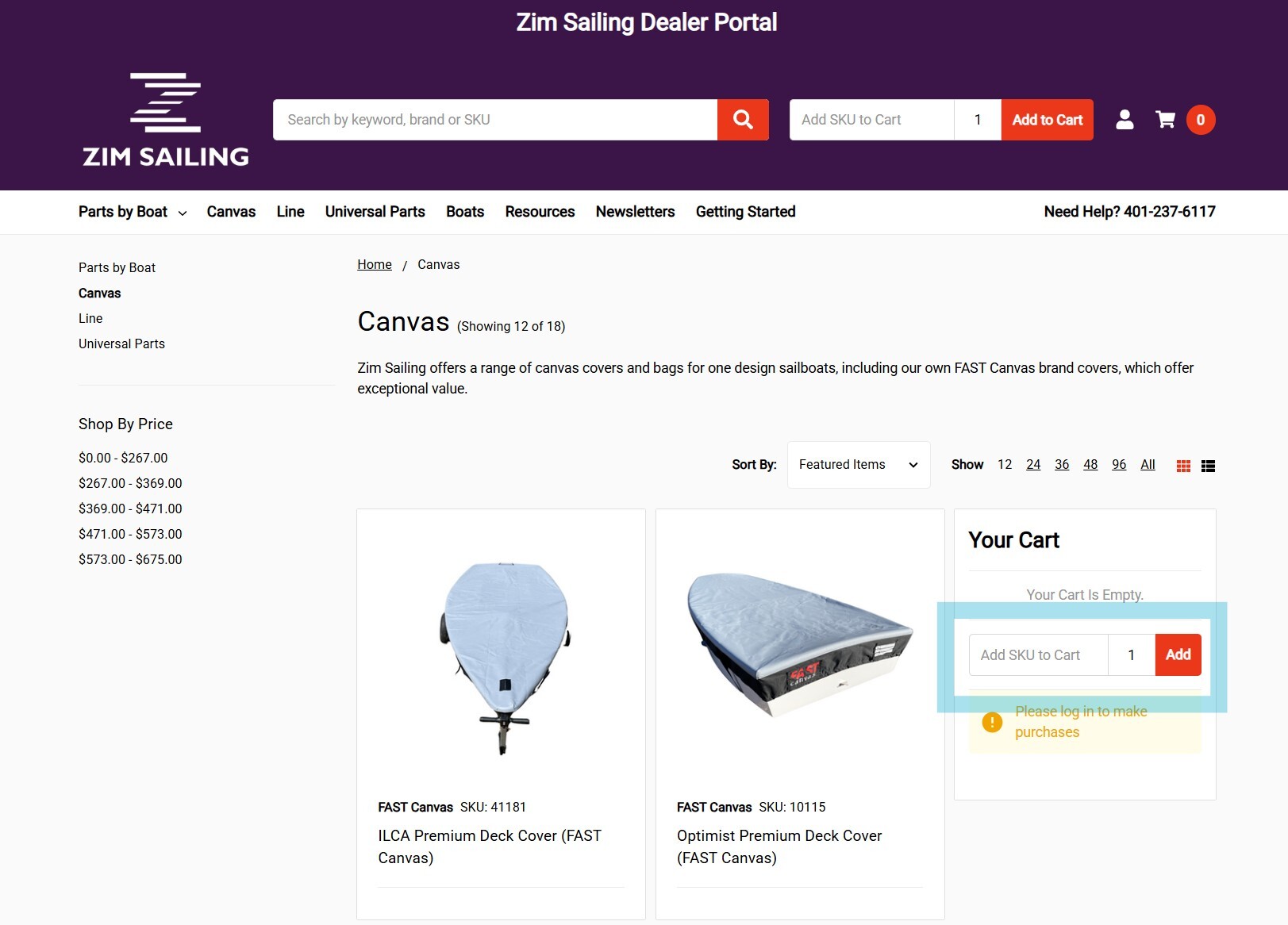
^^ Add to Cart in Categories - The product grids in sub categories will show a quantity cell and add to cart button below the item name and price. You can also utilize the quick add to cart feature in the floating cart widget as shown in the right of the screenshot below.
Pricing
Your Dealer A or Dealer B pricing is automatically available and displayed after you log into your account. The MAP price is the current Zim Sailing retail price. Your dealer purchase price is displayed below the MAP price. The ‘You saved x’ note indicates your dealer dollar margin on the item for reference. Current MAP pricing will be updated as needed.

Checkout
The Zim Sailing Dealer Portal uses standard ecommerce checkout. Simply add items to your cart, adjust any quantities needed, and click the Check out button to proceed to the checkout process and complete your order.
Shipping
The Zim Sailing Dealer Portal offers a variety of shipping options based on the products you are ordering.
- Pick Up @ Zim Warehouse - Select this method if you intend to pick up your order directly from the Zim Warehouse in Bristol or if adding an order to an existing boat shipment.
- FedEx and USPS - Choose FedEx Ground or USPS Priority Mail for small parts orders. Rates are based on the weight of your shipment.
- Oversized - Per our dealer policies, Oversized items incur a $60 per item shipping charge. When ordering a single Oversize item, the shopping cart will display a ‘Fixed Shipping’ method. If ordering multiple items, including an Oversize item, the $60 fee will be included in the FedEx / USPS rate shown in the shopping cart.
- Freight / LTL - Certain items like spars and racks that are too large to ship via common carrier can be ordered online, but will be limited to the Pick Up @ Zim Warehouse shipping method. If you need your items shipped LTL, we will provide you with a rate quote for approval. Adding Freight / LTL items to existing boat shipments is a great way to save on shipping!
Payment
The Zim Sailing Dealer Portal utilizes Authorize.net to capture payment for all online orders. This improves the speed of processing. If you need to pay for your order via other means, your order must be placed manually via phone or email and may take longer to fulfill.